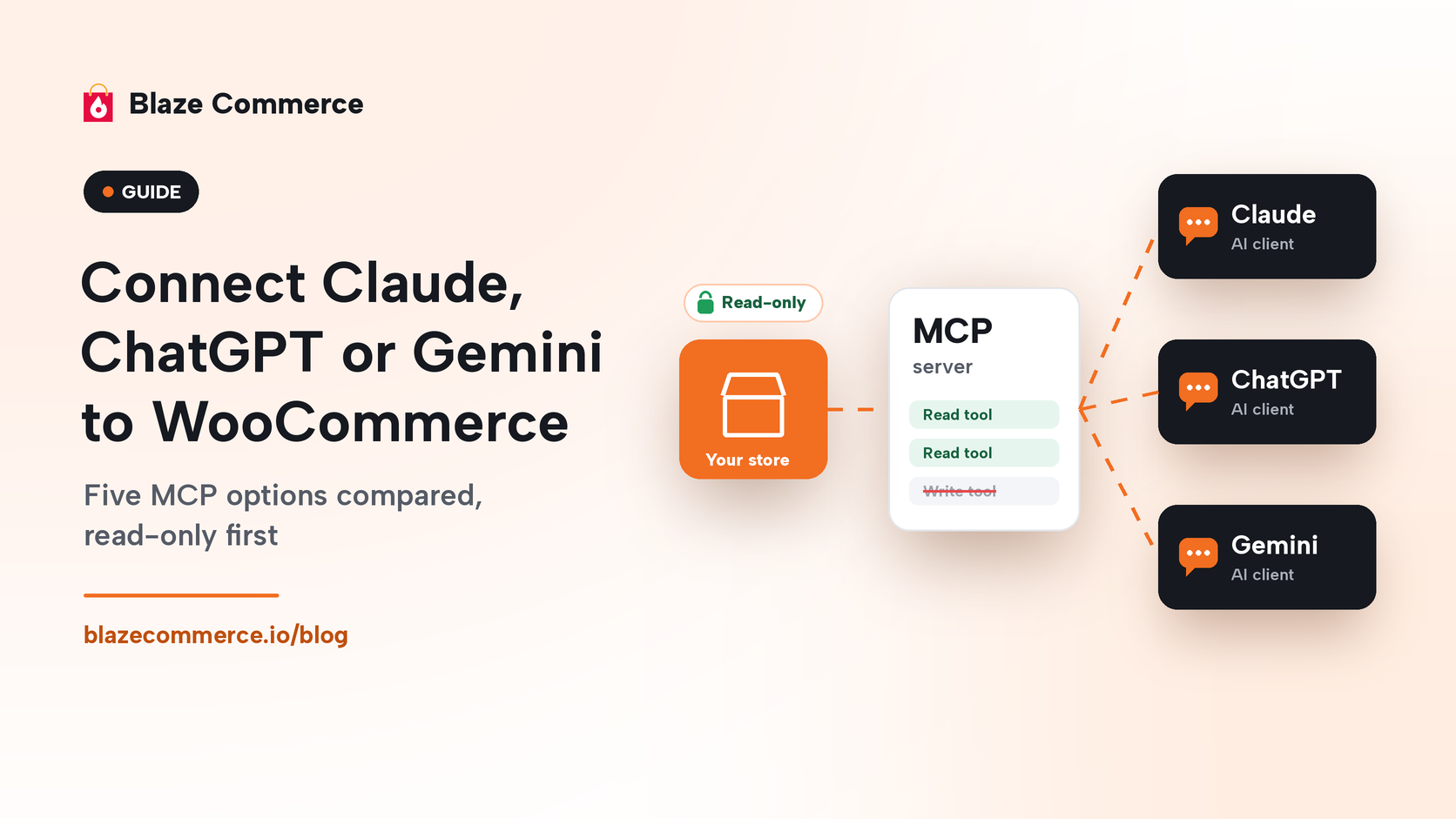
You connect Claude, ChatGPT or Gemini to WooCommerce through an MCP server, and the first connection should be read-only and run as its own limited user. For Claude, that means WooCommerce for Claude with the read-only key its setup page creates. For ChatGPT or Gemini, it means a WooCommerce MCP plugin or hosted connection limited to read-only tools. Add write access later, on staging, with every change logged. WooCommerce itself labels its MCP integration “currently in developer preview”.
On day one, the AI reads your store and changes nothing. You approve every change after that.
Owners ask first what the AI can touch: what it can read and change, and whether each change is logged and reversible.
Which WooCommerce MCP option should I start with?
Start with whichever option gives your AI client a read-only connection under its own user. If you use Claude Desktop or Claude Code, that is WooCommerce for Claude. If you use ChatGPT or Gemini, it is a read-only token or grant from an MCP plugin such as Easy MCP AI, or a read-only connection from a hosted service such as StoreAgent.
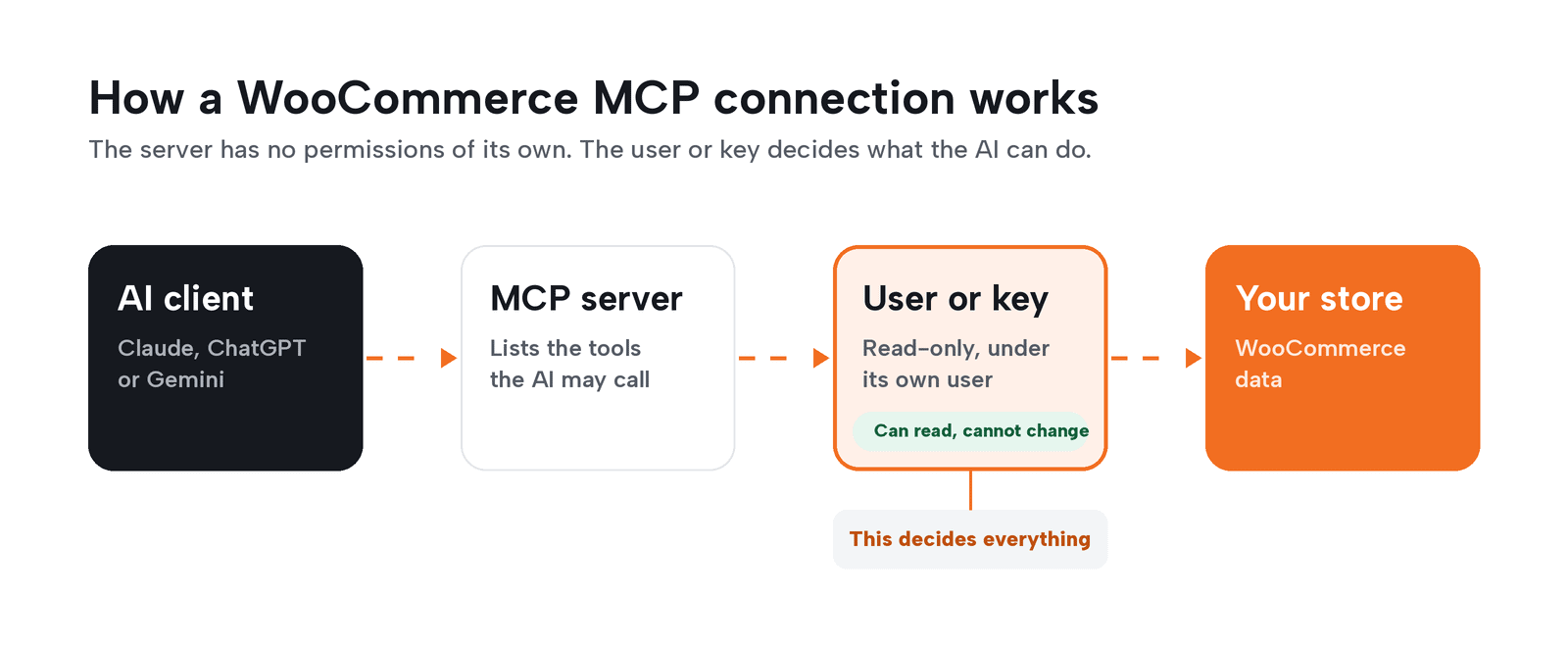
A WooCommerce MCP server is the piece of software that tells an AI client which tools it may call on your store. The server has no permissions of its own. The user or key you connect it with is the whole of what the AI can do.
Add write access only for a task that needs it, such as editing product descriptions, and test it on staging first.
At Blaze Commerce, we run WooCommerce for Claude on a client store we manage. We use AI tools, primarily Claude from Anthropic, and a person is accountable for every deliverable.
WooCommerce MCP options as of October 2026
Every cell comes from the product’s own page, read on October 25, 2026. Check each page again before you install.
| Option | Works with | What it can read | What it can change | How it signs in | Status as of October 2026 |
|---|---|---|---|---|---|
| WooCommerce for Claude (WooCommerce team) | Claude Desktop, Claude Code, Cursor | Store analytics (aggregated), products, store profile and policies; customer names, emails and addresses excluded | Nothing on the default key; products and orders if you switch the key to Read + Write | A WooCommerce REST API key its setup page creates, read-only by default | “An experiment”; “This is not a Woo feature” (WooCommerce Developer Blog, May 7, 2026); GitHub pre-release |
| WooCommerce core MCP, through the MCP Adapter plugin | MCP clients pointed at the adapter’s default server | Products and orders, including order notes; order and customer data may include personal information | Create, update and delete products; change order status; add order notes | WordPress username and application password, acting as that user | “Developer preview”; old endpoint to be removed in the upcoming WooCommerce 11.3 (advisory Oct 21, 2026) |
| WooCommerce AI MCP server (WooCommerce) | Claude Code (the documented example); clients that support remote HTTP | Read tools; the page does not list them one by one | Depends on the connected account and the tools you enable (per-tool on/off in Individual exposure mode); a direct API-key connection with a read key can only read | WordPress.com OAuth, with an account that can manage WooCommerce; developer API-key option | New: private beta (waitlist); free during the beta, general-release pricing not announced (October 2026) |
| Easy MCP AI (Themeisle) | Claude web, desktop and Code; ChatGPT; Gemini through Google Antigravity | 280+ MCP tools, 47 of them for WooCommerce | Whatever tools the token or grant allows, read-only included; “Force Draft on Create” is off by default | OAuth or API token, each limited to chosen tools | Free; version 2.2.2, updated Oct 20, 2026; 20,000+ active installs |
| MCP for WooCommerce | Claude Desktop, Claude Code, Cursor, VS Code | What a shop visitor can see; never orders, customers or settings | Nothing; all 31 tools are read-only | No login; it never signs in as a WordPress user | Free plugin (page read Oct 25, 2026) |
Hosted connectors run the MCP server for you. StoreAgent says it “runs that server for you as a managed gateway”, with approval on your own wp-admin page, read-only or read-write per connection, and a 30-day activity log.
How do I connect Claude to WooCommerce?
Claude Desktop and Claude Code connect through WooCommerce for Claude. It needs a self-hosted store on WooCommerce 10.6 or later and WordPress 6.9 or later, Node.js 18 or later on the computer running Claude, and the free MCP Adapter plugin. The plugin installs from a GitHub pre-release, not the WordPress.org directory, and Claude Desktop installs from a one-click bundle.
The plugin caches every result for an hour and runs no cron, polling or sync jobs. Your store does no extra work between questions, and an answer can be up to an hour old.
WooCommerce calls this an experiment, so treat it as one. Check it after every WooCommerce update before you rely on it.
Claude on the web connects through custom connectors, which need a remote server such as Easy MCP AI or StoreAgent. The Claude Help Center says they work on Free, Pro, Max, Team and Enterprise plans, and Free users get one. On Team plans, only Owners and Primary Owners can add them.
Anthropic warns that “Malicious MCP servers may include hidden instructions that try to make Claude perform unintended actions.” During Research, Claude calls connector tools without asking first, so turn off any tool that writes.
How do I connect ChatGPT or Gemini to WooCommerce?
ChatGPT and Gemini both connect to WooCommerce through an MCP server. ChatGPT takes a remote server you add by URL, with OAuth or other credentials. Easy MCP AI’s dashboard opens ChatGPT’s custom MCP server screen and signs in with OAuth.
ChatGPT asks before it writes. OpenAI’s developer docs say “ChatGPT currently requires manual confirmation in any conversation before write actions can be taken.” The same page warns that “write actions” can still occur when a server has tagged a tool as read-only. Do not treat the confirmation prompt as your safety net. The server and the key decide what a write is.
Gemini connects to your store through Gemini CLI. You add an mcpServers entry to settings.json, using stdio, SSE or streamable HTTP. For unpaid-tier and Google One users, Antigravity CLI replaced Gemini CLI on June 18, 2026.
Two settings in the Gemini CLI docs matter for a store. Leave trust at its default of false; set to true, it “bypasses all tool call confirmations.” Use includeTools to list only the read tools, and Gemini will see nothing else.
What should an AI connection be allowed to change?
Nothing, at first. Blaze runs AI on stores with four rules, and they apply whichever option you pick.
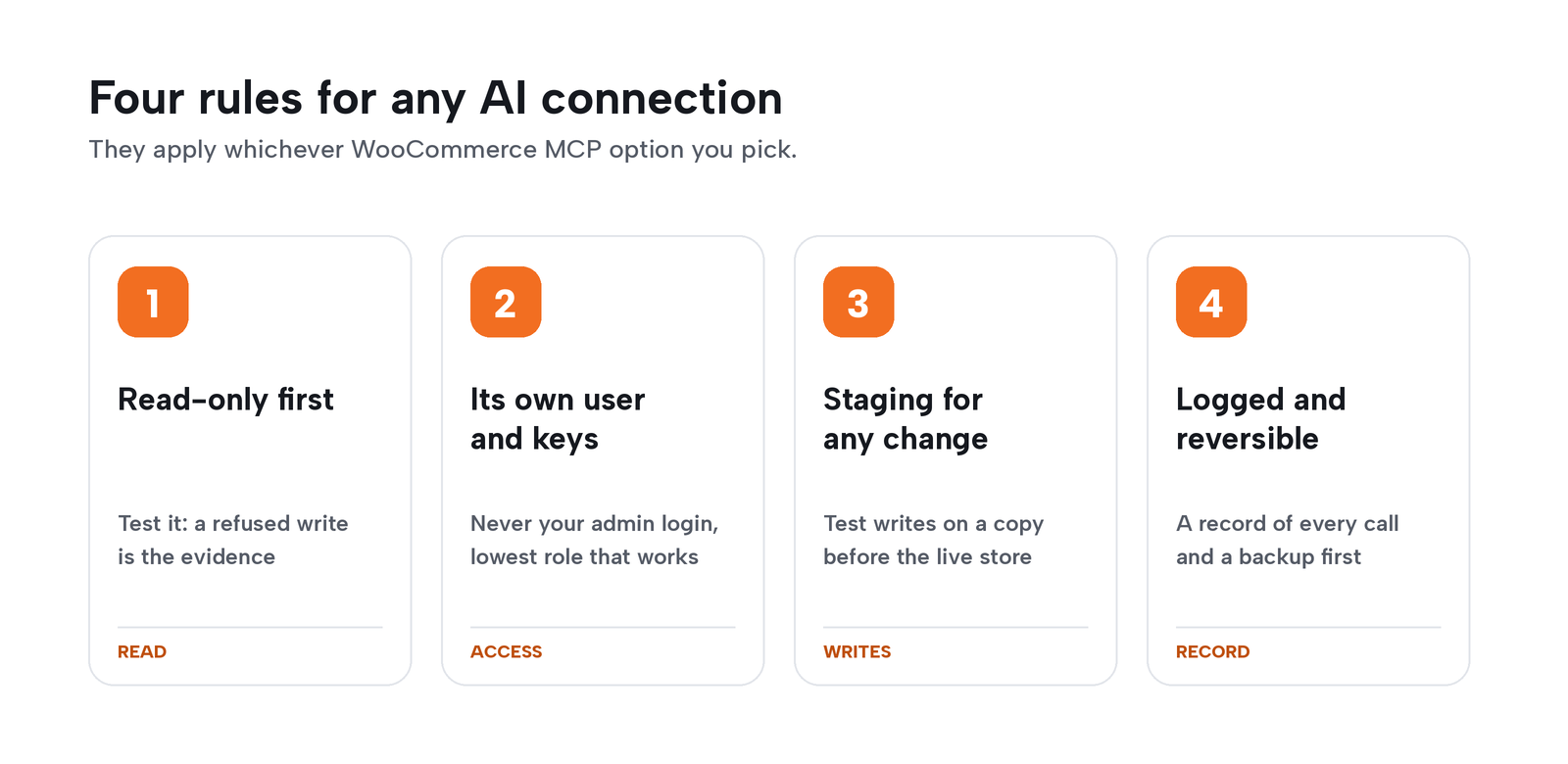
Read-only first
Connect with a read-only key or grant, and confirm it is read-only by testing it. Read-only still reads customer data, so leave customer and order tools off unless a task needs them. A label on a tool is a claim. A refused write is evidence.
Its own user and keys
Give the AI its own WordPress user, never your admin login, with the lowest role that does the job. WooCommerce’s docs say to “use a dedicated WordPress user with only the capabilities the MCP client needs.” A key or application password acts as the user it belongs to, so create it under the AI’s user. If something goes wrong, you delete one user, not your own login.
Staging for any change
Run write access on a staging copy before it touches the live store, the same way you would test a plugin update. We cover that routine in the foolproof way to update WooCommerce.
Every change logged and reversible
You need a record of every call and a way back. When logging is on, Easy MCP AI keeps its audit log for 30 days by default, and StoreAgent’s page lists a 30-day activity log. Take a backup before any write session, for the reasons in why AI will eventually break your WooCommerce store.
A read-only test you can run this week
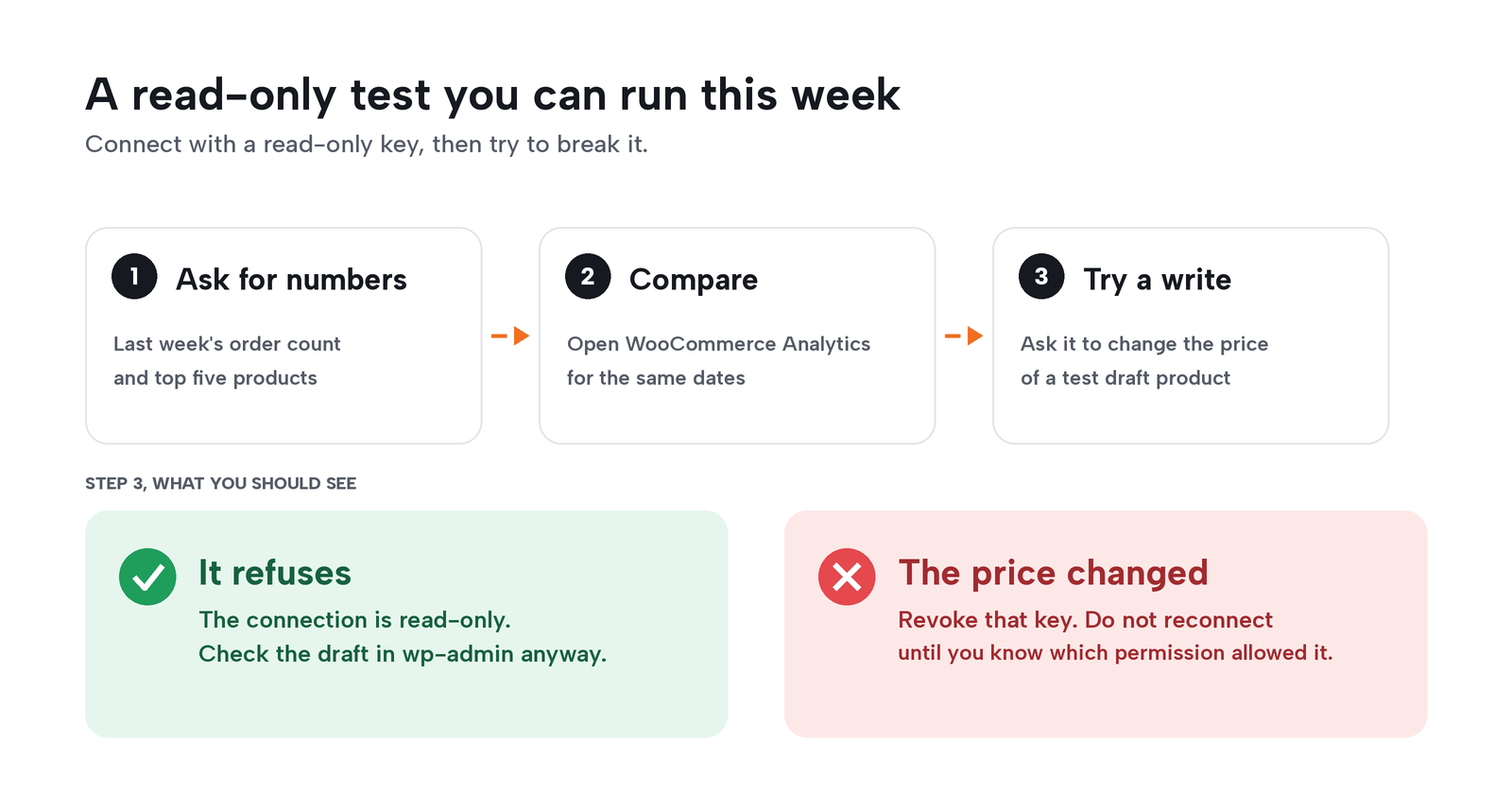
Connect your chosen option with a read-only key. Ask it for last week’s order count and your top five products by sales. Then open WooCommerce Analytics for the same dates and compare the numbers.
Next, create a draft product for the test and ask the AI to change its price. A read-only connection should refuse. Check the draft in wp-admin afterward.
The result that means trouble: the price changed. Revoke that key, and do not reconnect until you know which permission allowed it.
Storemation’s read-only setup
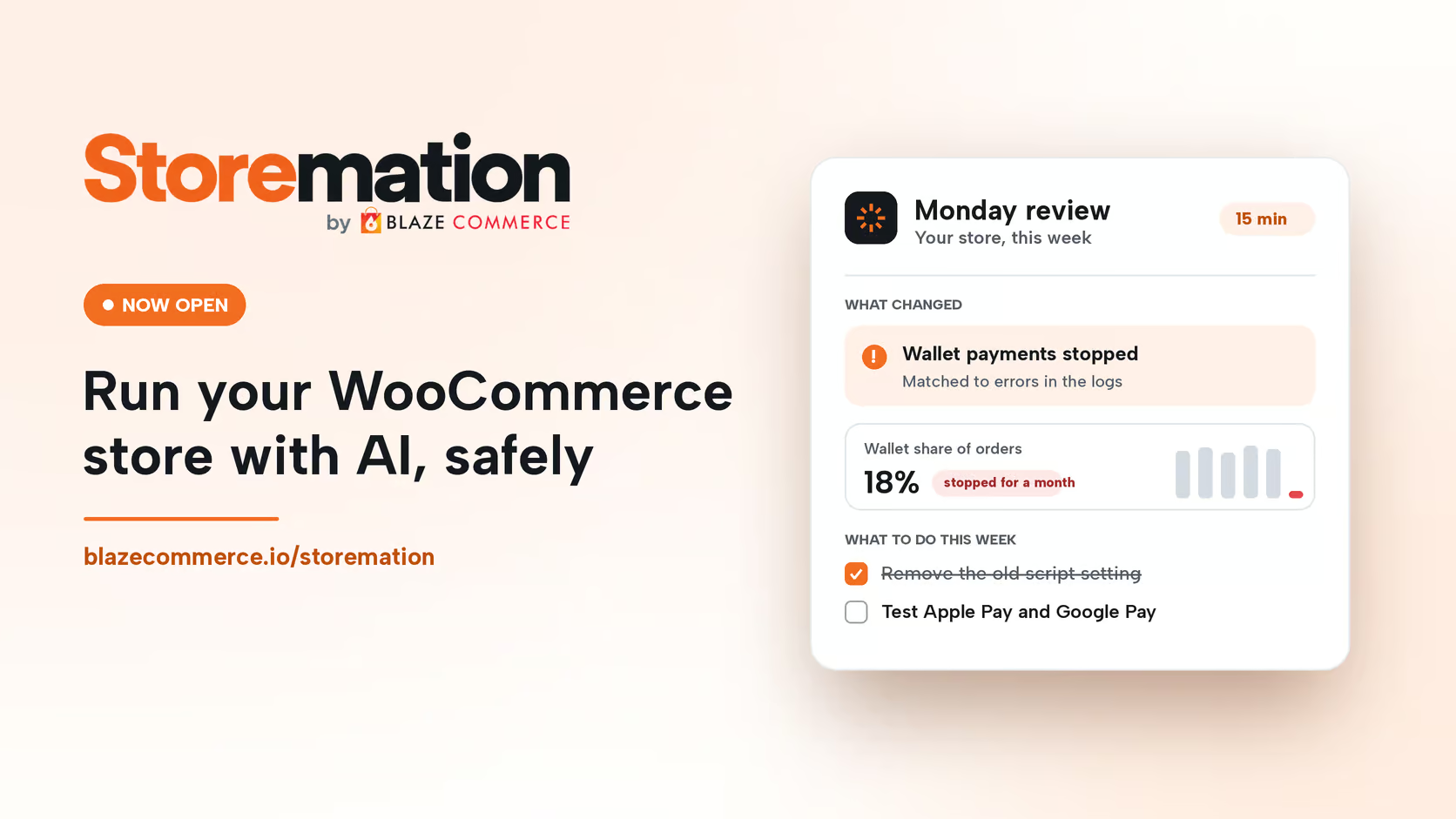
Blaze sets up the connection for Storemation members. On day one, Claude is reading the store, read-only. Every Monday, a 15-minute review says what changed, why, and what to do. Nothing on the store changes until the owner says so. See how the read-only connection and the Monday review work on the Storemation page.
WooCommerce, WordPress, Claude and other names are trademarks of their owners. Blaze Commerce is independent and not affiliated with or endorsed by them.
Frequently asked questions
Is it safe to use the WooCommerce MCP on a live store?
It is safe to read a live store over MCP with a dedicated, limited user, and writes belong on staging first. WooCommerce warns that “Order and customer operations may expose personally identifiable information (PII).” Its MCP integration is still a developer preview, so expect changes between releases.
What can an AI connection read and change in my store?
An AI connection can read and change exactly what its user or key allows, and nothing more. WooCommerce’s core MCP can create, update and delete products and change order status. WooCommerce for Claude returns aggregated analytics, and MCP for WooCommerce sees only your public catalog.
Do I need to code to connect Claude to WooCommerce?
No, you install software but write no code. The setup is two plugins on the store, Node.js on your computer, and a bundle Claude Desktop opens in one click.
Why does my AI client say it cannot reach my store?
Remote MCP runs over the WordPress REST API, so a security plugin or firewall that blocks it also blocks the AI client. Our REST API FAQ lists the security plugins that restrict it and where each setting sits. An old setup will also fail from WooCommerce 11.3 (due after 11.2.1): the /wp-json/woocommerce/mcp endpoint returns HTTP 410, and clients connect through the MCP Adapter instead.