


Headless WooCommerce with Next.js moves your storefront off WordPress’s PHP theme layer and renders it through React instead. That is how headless stores reach page loads well under a second. It is the right architecture for high-volume stores – roughly $3M+ a year – where the conversion lift from that speed pays back a $70K+ rebuild inside 12 months. Below that line, most stores reach the same half-second page loads (460-560ms) through WooCommerce optimization, at about a third of the cost and without rebuilding anything.
Bottom line: this guide explains how the Next.js approach works, what your real options are, and how to tell which side of the revenue line your store sits on – before you spend a cent on a rebuild you may not need.
A note before we start: we work with every kind of WooCommerce store owner – hands-on technical founders who want every detail, and owners who would rather their store be fast without touching the code. Both are fine. If this guide starts to feel like a lot, that is the point: headless is complex, which is why it is rarely the right first move for a store under $3M. Skip to the FAQ for how we help, or keep reading for what happens under the hood.
Introducing Next.js: Powering Headless WooCommerce with React
Next.js is a widely adopted frontend framework built on React. It pairs well with a headless WooCommerce setup because it renders your storefront as static or server-rendered HTML rather than waiting for the browser to build the page. For the shopper, that means the product page is there almost immediately.

One reason teams reach for Next.js is its data fetching. It can pull product details, reviews, and other dynamic content from WooCommerce at build time or on request, so the storefront stays current without the overhead of a traditional theme. That gives you room to build the shopping experience you want without fighting the platform.
The bigger advantage is its hybrid model: static site generation and server-side rendering in one framework. You can pre-render pages at build time for fast loads, then render content on the server when it needs to be live. Done well, that combination improves how search engines and browsers receive your pages and supports a faster experience for your headless WooCommerce store.
Next.js also gives developers fast refresh during development, so changes show up instantly while building. That shortens the iteration loop when you are tuning a store’s design and behavior.
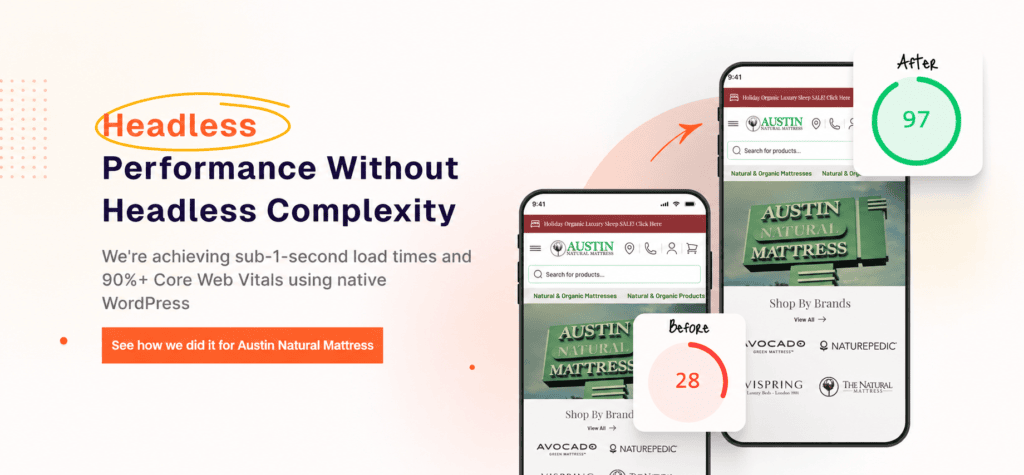
Used in the right place, Next.js gives a headless WooCommerce store strong performance and a responsive interface. The harder question is whether your store needs headless at all – which is what the rest of this guide is about.
For the full picture of how headless architecture changes WooCommerce performance, see our comprehensive guide to headless WooCommerce.
Why Go Headless?
Going headless means decoupling the frontend from the WordPress backend. The store still runs on WooCommerce; the difference is that a separate application renders what the shopper sees. The payoff is flexibility, scale, and – in the right hands – speed.
Separating the two lets you choose the best technology for each layer. On the frontend that means a modern framework like Next.js, with server-side rendering, incremental static regeneration, and performance defaults that a PHP theme cannot match. The result, when the build is done properly, is better-structured pages, faster loads, and a more responsive store.
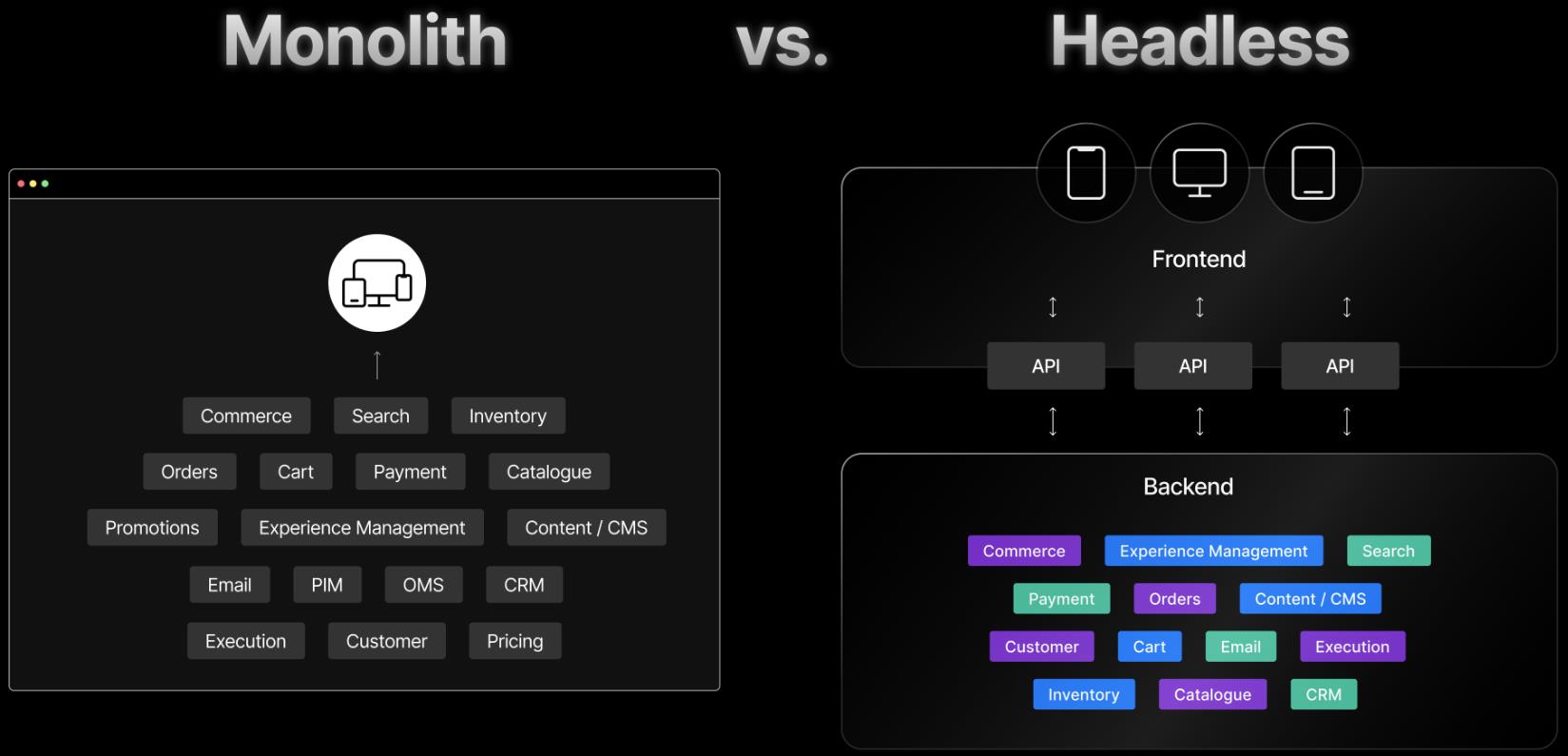
Headless also opens the door to additional APIs. Plugins like WPGraphQL expose your WordPress content as a GraphQL API, which gives the frontend precise control over what it requests and renders. For a large catalog, that control is part of what keeps the store fast.
The architecture scales well, too. You can add features and absorb traffic spikes without the frontend and backend competing for the same resources. That matters more as your catalog grows and your traffic climbs – but it is also where the cost lives, because every one of those moving parts has to be built and maintained.
So headless brings real performance, flexibility, and scale. The catch is that those benefits only outweigh the cost above a certain revenue level. Here is the honest math before you read further.
Headless is the right call – for the right store.
Headless WooCommerce delivers real performance gains, but it only earns back the investment above a certain revenue threshold. Here is the honest math:
The WooCommerce Revenue Audit tells you straight whether headless or optimization fits your store – with the numbers behind either answer, even if it means we are not the right fit.
Options for Headless WooCommerce
If you have decided headless is right for your store, several frontend approaches can sit on top of WooCommerce:
1. Gatsby: a static site generator that pairs React and GraphQL with WooCommerce to produce fast, pre-built pages. It has a deep plugin ecosystem, though its build model suits content-heavy sites more than large, frequently changing catalogs.
2. Next.js: React with both server-side rendering and static generation in one framework. It handles large catalogs and frequently updated content well, which is why it is our default. More on that below.
3. WooNuxt: WooNuxt brings headless eCommerce to the Vue ecosystem, merging WordPress and Vue with cart, checkout, search, and PWA support. A strong option if your team already works in Vue rather than React.
4. Custom-built solutions: tailored to a specific need, with the highest ceiling for optimization – and the highest cost, build time, and ongoing maintenance. Reserve this for cases the frameworks above cannot serve.
Each option fits a different team and catalog. The right one depends on your stack, your developers, and how often your content changes.
Gatsby

Gatsby is a frontend framework that works with headless WooCommerce to build fast, pre-rendered pages and a strong store user experience.
Gatsby generates static HTML at build time, so pages load quickly once deployed. For a catalog that does not change by the minute, that build-and-serve model produces a fast, stable storefront.
Its use of React and GraphQL makes it straightforward to fetch and display WooCommerce product data, manage content, and handle interactions while keeping the browsing experience smooth.
Gatsby also leans hard on performance: optimized code and image assets, which support both speed and search rankings. The trade-off is rebuild time as the catalog grows, which is where Next.js and its incremental model pull ahead for most stores.
WooNuxt

WooNuxt brings headless eCommerce to teams working in Vue, pairing WordPress and Vue for performance and security. It is the natural choice when your developers already build in Vue rather than React.
WooNuxt covers the core storefront: fast page loads, cart and checkout, search and filtering, and a wishlist. It supports progressive web app (PWA) features for offline access and a consistent experience across devices, so shoppers get a coherent store on any screen.
Accessibility and responsive design are part of the package, which helps keep the store usable for every customer. With a clean interface on top, WooNuxt supports the kind of UI that holds attention and converts.
Deployment is straightforward: keep your WooCommerce backend, build the Vue frontend with Nuxt.js, and deploy to a static host like Netlify. With SEO and customer-review features on its roadmap, WooNuxt is a credible Vue-side counterpart to a Next.js build.
Why We Settled on Next.js
At Blaze Commerce we evaluated each of these options for our headless WooCommerce work, and Next.js came out ahead. Here is why:
1. React integration: Next.js is built on React, so it inherits a mature component model and a large ecosystem – useful when you are building a store you will maintain for years.
2. Flexible data fetching: built-in methods for static and server rendering let developers fetch and display WooCommerce data without bolting on extra tooling, so product data stays current.
3. Hybrid rendering: Next.js combines server-side rendering and static generation. You get fast first loads from pre-rendered pages and live rendering where content changes – the pattern Google describes in its rendering on the web guidance.
4. Incremental static regeneration: pages can be rebuilt in the background as data changes, so the store stays current without a full rebuild. For a large catalog, that keeps build times sane.
5. Performance defaults: automatic code splitting, optimized image loading, and built-in caching ship out of the box, which keeps the store fast without hand-tuning every page.
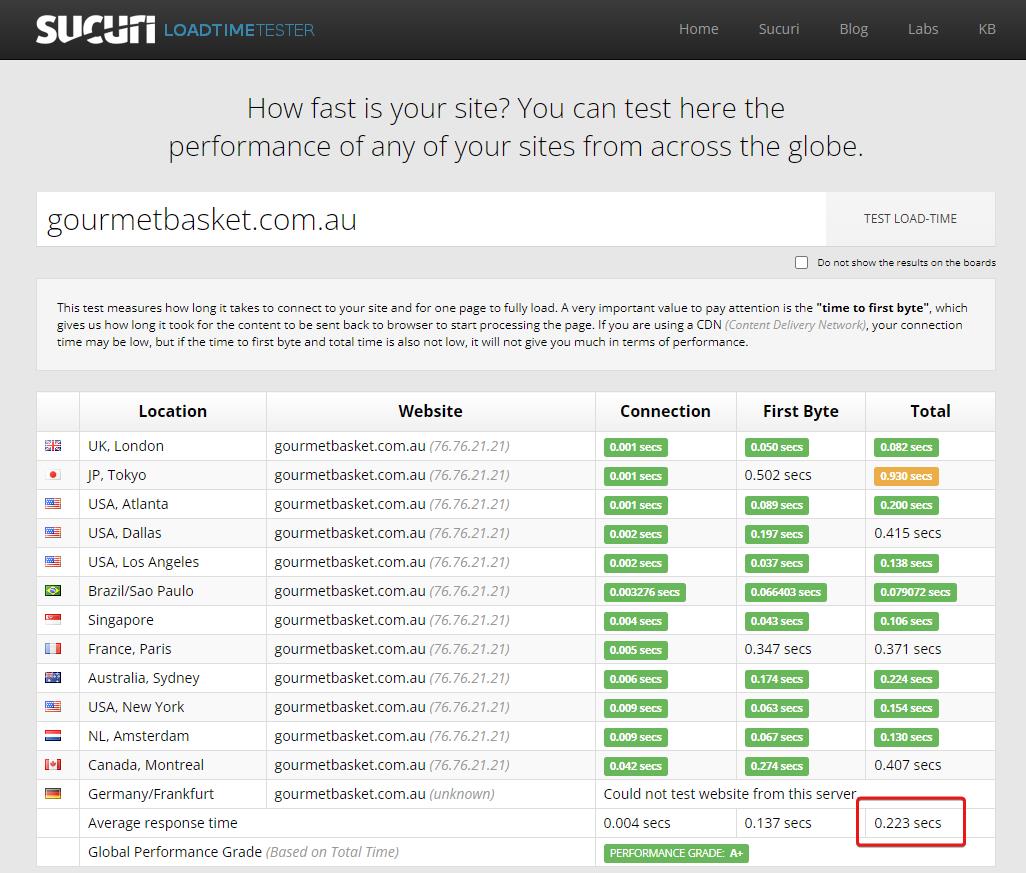
Put together, those five reasons are why Next.js handles a high-volume WooCommerce store better than a static-only generator. Our Gourmet Basket case study shows what that looks like in production: 0.223-second page loads through a week that processed three months of normal revenue.
Built with React

Because the Next.js storefront is built on React, it inherits React’s component model and performance characteristics. Components are reusable, state is predictable, and the same patterns developers already know carry straight over.
React’s data fetching, through Next.js methods like getStaticProps and getServerSideProps, keeps your WooCommerce data current and supports smooth content updates without a page reload.
React supports hybrid rendering as well, combining static and server-side output. First loads come from server-rendered HTML, with the speed and scale benefits of pre-rendered pages behind them – a structure that serves both search engines and shoppers.
Fast Refresh gives developers instant feedback during development without losing application state, which keeps the build loop quick.
On top of that, the Next.js storefront ships with code splitting, optimized image loading, and caching by default – the performance work that, on a PHP theme, you would otherwise do by hand.
Data Fetching
In a Next.js storefront, data fetching often runs through getStaticProps. It fetches data at build time and pre-renders the page, so the content is already there when the shopper arrives.
You call getStaticProps inside a page component to pull data from an external API, a database, or WooCommerce itself, then return it as props. The page renders with that data baked in.
Pre-rendering with the data already in place removes the need for extra client-side fetching, which keeps the experience fast and steady for the shopper.
getStaticProps also helps SEO: it generates static HTML with the data in the markup, which search engines can crawl and index directly rather than waiting on JavaScript.
Hybrid: SSG and SSR
Next.js supports both Static Site Generation (SSG) and Server-side Rendering (SSR), and lets you pick per page.
With SSG, pages are pre-rendered at build time and served as static HTML. Those cached pages load fast and take load off your server.
With SSR, pages are rendered on each request, which suits content that changes often or needs live data. You choose the right mode for each page rather than committing the whole site to one.
That per-page choice is what makes the hybrid model practical for a real store: static product pages where you can, live rendering where you must.
Next.js adds automatic code splitting, so each page loads only the code it needs, plus prefetching of linked pages in the background – both of which shorten the time between clicks.
Fast Refresh and Incremental Static Regeneration
Fast Refresh and Incremental Static Regeneration (ISR) are two Next.js features that matter for a headless WooCommerce build.
Fast Refresh gives developers a reliable live-editing experience: code changes show up immediately, without a manual reload, which speeds up iteration and debugging.
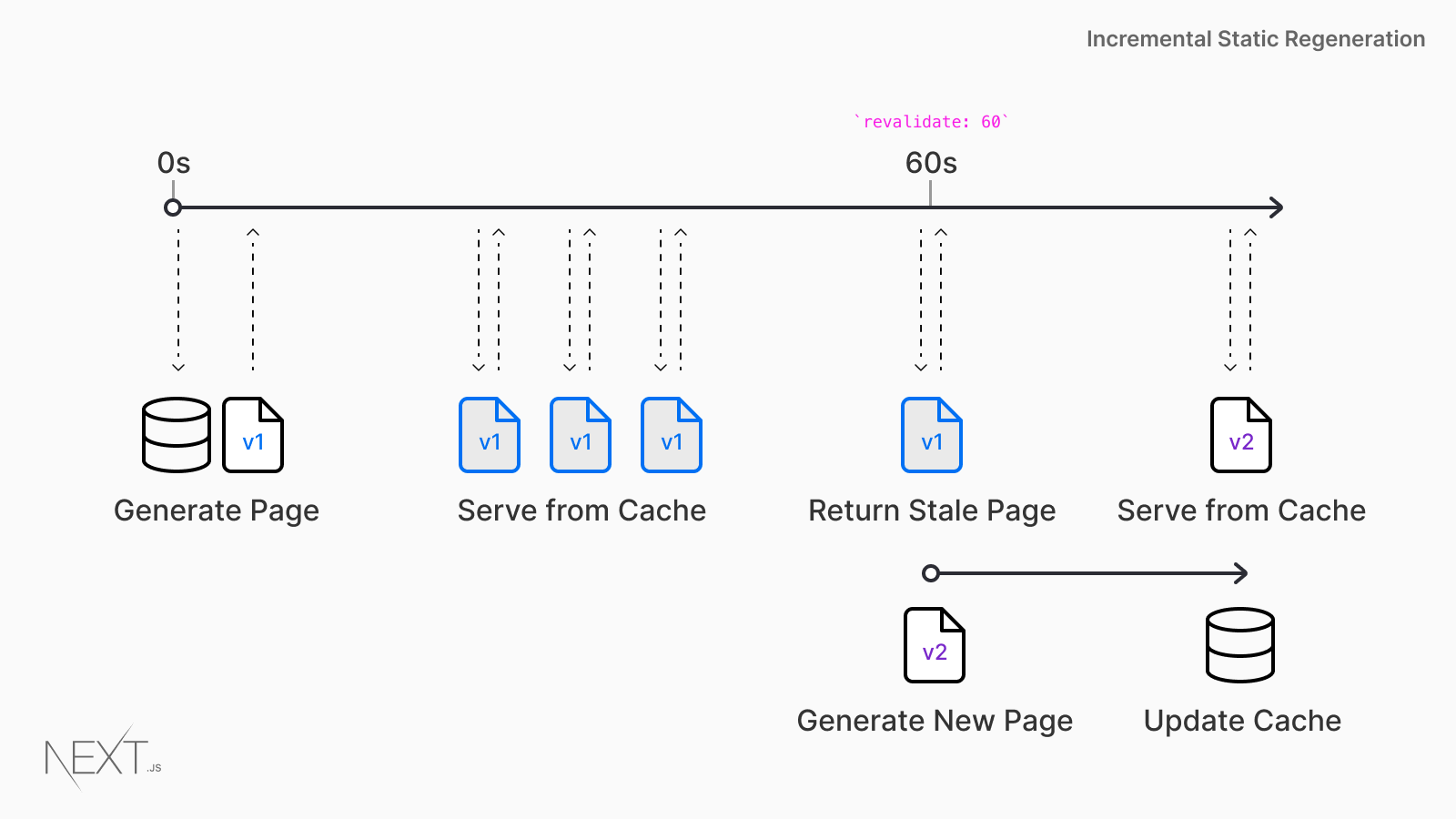
ISR keeps a dynamic store fast over time. Next.js can regenerate individual static pages in the background as data changes, updating only what changed instead of rebuilding the whole site. That cuts build times and resource use on a large catalog.
For a headless WooCommerce store, the pair does real work: Fast Refresh keeps development quick, and ISR keeps product pages and other dynamic content current without trading away speed.
Performance Optimizations
Page speed is not a vanity metric. Google’s Core Web Vitals tie loading, interactivity, and visual stability directly to rankings and to how shoppers behave – and the gap between a slow store and a fast one shows up in conversions. A Next.js build gives you several levers to close that gap.
Automatic code splitting breaks the bundle into smaller chunks, so each page loads only the code it needs. Less code per request means faster loads and less wasted transfer.
Optimized image handling serves product visuals in efficient formats and sizes, which is where a large share of page weight usually sits. Getting images right is often the single biggest speed win on a store.
Caching holds frequently requested data close to the shopper, which cuts repeated database queries and shortens response times. Together, these are the levers that take a headless WooCommerce store to half-second loads – and, for a high-volume store like Gourmet Basket, well below that.
Blaze Commerce’s Headless WooCommerce Solution with Next.js
Blaze Commerce is an Australian company that has built headless WooCommerce on Next.js since 2022. The approach targets the performance ceiling that traditional WordPress and WooCommerce setups run into under serious load.
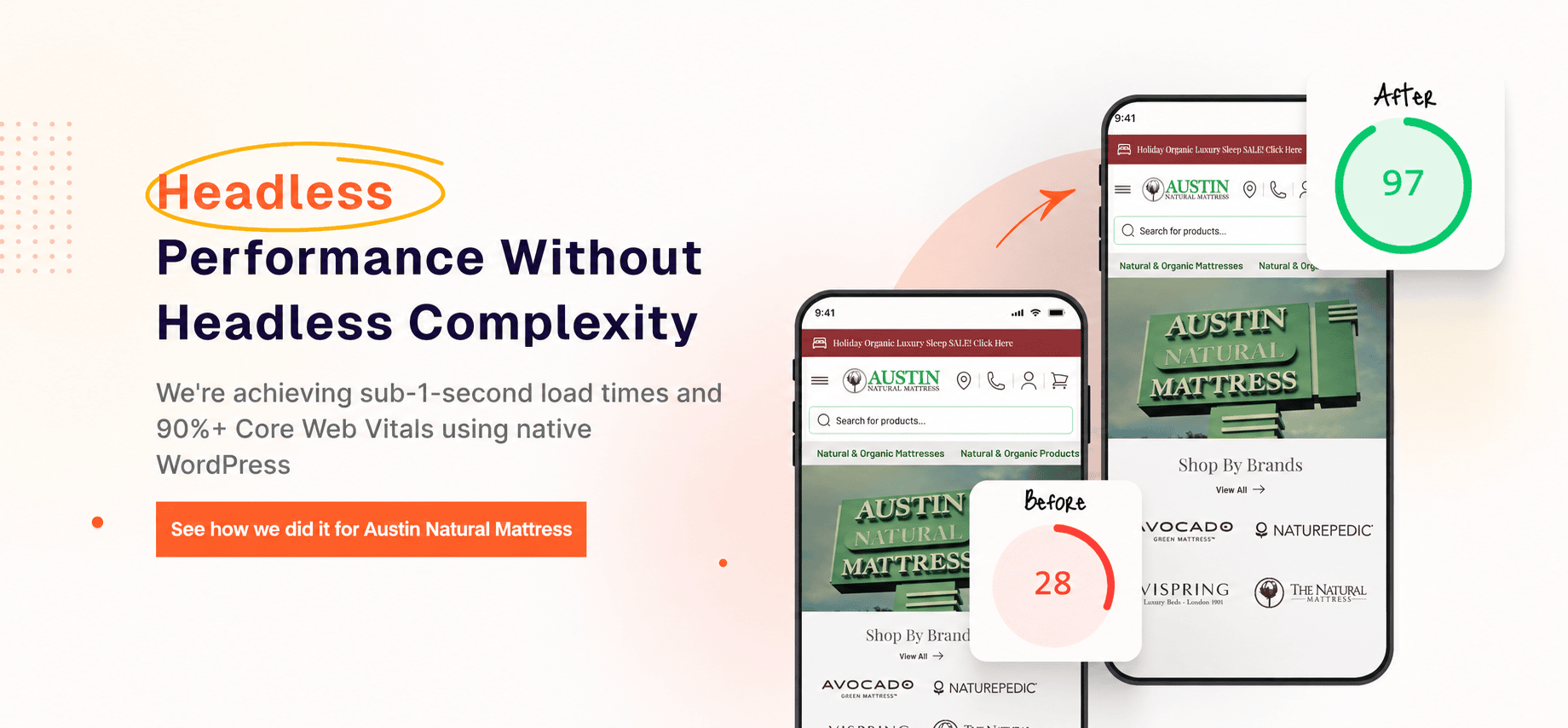
A headless build addresses the UX problems WooCommerce store owners run into at scale. Instant page loads, fast search, and responsive product filtering give shoppers a store that keeps up with them, without bolting on heavy plugins to fake the speed.
The standard WooCommerce features and plugins are supported: Simple, Variable, Digital, Bundled, and Configurable products, along with Advanced Custom Fields, GraphQL extensions, common SEO plugins, product reviews, and more. You keep the WooCommerce admin you already know.
For developers and agencies, the same Next.js foundation – server-side rendering, incremental static regeneration, and performance defaults – means less time spent rebuilding the basics and more spent on the store itself.
The clearest proof is Gourmet Basket: instant page loads and search after going headless, with a measurable lift in conversions and average order value. Gourmet Basket is also the kind of store headless is built for – high volume, well above $3M, with checkout that was timing out under load. They are the right side of the line.
Taking WooCommerce Headless with Next.js
A headless WooCommerce build on Next.js gives store owners and developers a way past the performance limits of a traditional WordPress and WooCommerce setup, with fast loads and a store that holds up under load.
With server-side rendering and incremental static regeneration, the storefront stays in step with your latest WooCommerce products, which supports both SEO and page speed, and removes a common drag on conversions.
Whether you are a store owner focused on revenue or a developer who wants a customizable foundation, the question to settle first is not which framework – it is whether your store is above the revenue line where headless pays off.
If it is, Next.js is a strong foundation for a headless WooCommerce store. If it is not, optimization gets you most of the same speed for a fraction of the cost. The honest framework for that decision is in when not to go headless with WooCommerce.
Get my Revenue Recovery Audit
We score your store against the same 245-point Baymard standard we run on every audit, benchmark your mobile PageSpeed, and send the findings within 7 days – each gap ranked by revenue impact.
Get My Revenue Audit →Every gap is tied to a dollar figure and a priority.
Talk directly with Campbell
Founder · 11 years WooCommerce
Schedule a strategy call
30 minutes with Campbell on your UX and performance challenges with WooCommerce – especially if you’re in a restricted vertical where paid ads aren’t an option.
Schedule My Strategy Call →30 minutes. No pitch – an honest assessment of where you stand.
Frequently Asked Questions
Is headless WooCommerce with Next.js worth it for my store?
It depends on revenue. A headless rebuild runs $70K+ over 4-6 months, so the conversion lift has to pay that back to make sense – which usually means a store doing $3M+ a year. For the other 95% of WooCommerce stores, WooCommerce optimization reaches the same half-second page loads (460-560ms) at about a third of the cost, without a rebuild. The when not to go headless guide walks through the decision in full.
How fast can a headless WooCommerce store load?
For a high-volume store built properly, well under a second. Gourmet Basket reached 0.223-second page loads through a week that processed three months of normal revenue. That figure is a headless outcome for a large store, not a number every store will hit. Most stores that optimize their existing WooCommerce setup land in the 460-560ms range, which is fast enough that speed stops costing them sales.
Will going headless change how I run my store?
You keep the WooCommerce admin. Products, orders, and content are managed the same way you manage them now. What changes is the layer the shopper sees, which is rendered by Next.js instead of a PHP theme. The trade-off is added build and maintenance complexity behind the scenes, which is part of why headless only pays off above the revenue threshold.
What does the WooCommerce Revenue Audit include?
A paid, full diagnosis of your store across performance, UX, analytics, and build, with the specific revenue leaks quantified and a prioritized plan. For headless questions, it tells you straight whether a rebuild or optimization fits your store and revenue level – with the numbers behind the recommendation. Start your audit here.
Can I get headless-level speed without rebuilding my store?
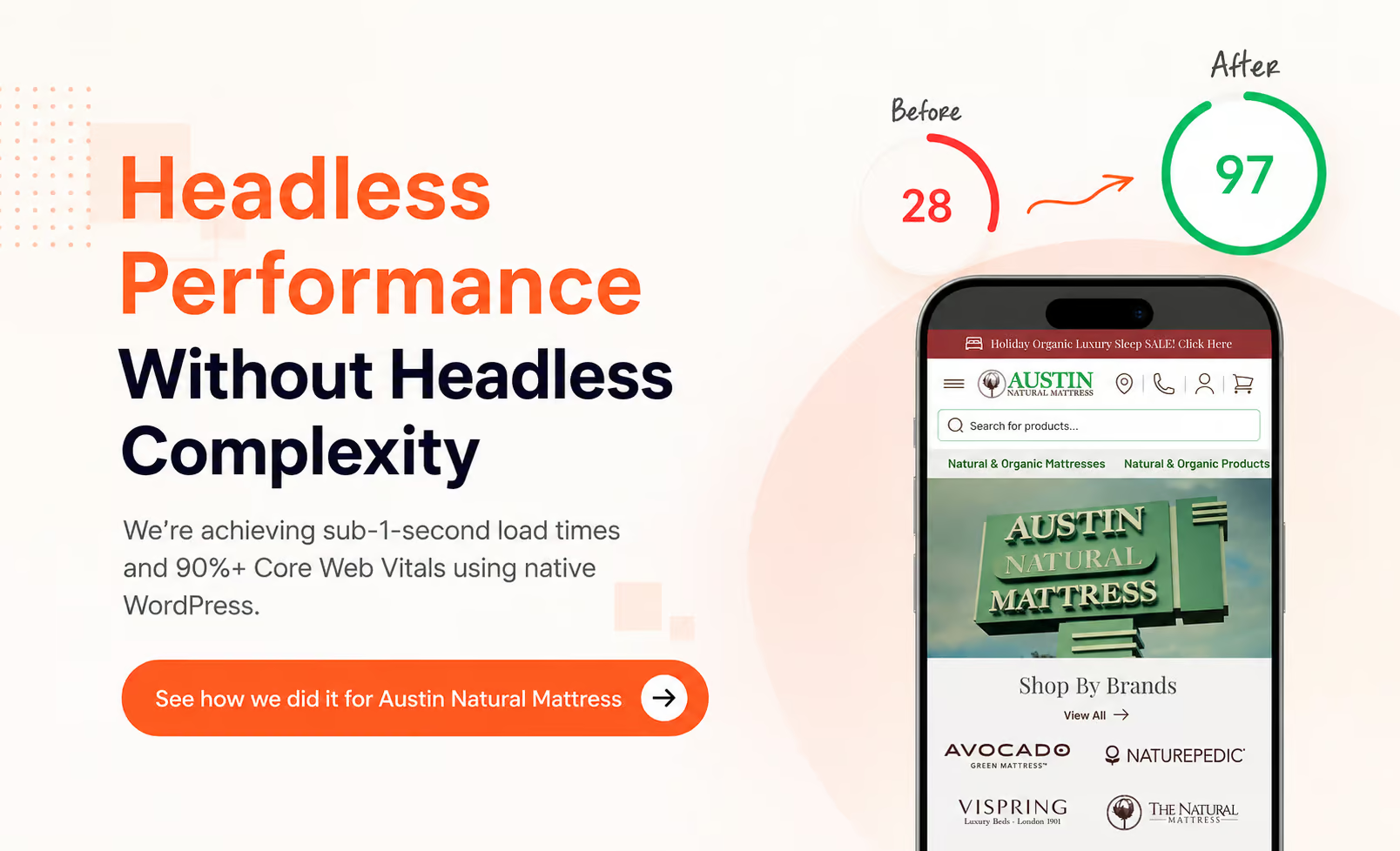
For most stores, yes. The speed shoppers feel comes from the same fundamentals headless gets right – efficient rendering, optimized images, caching, and a lean frontend – and those can be applied to your existing WooCommerce store through optimization. See how optimization delivered measurable results for Austin Natural Mattress and Squadron Nostalgia without a headless rebuild.